The Gap Between a Strong Password and a Secure Account
Most people understand that a weak password - like a pet's name or a simple number sequence - is risky. But the more dangerous assumption is that creating a complex password is sufficient protection on its own. It isn't, and understanding why matters for every retail account where you store a payment method.
The core problem isn't password strength - it's the ecosystem passwords exist in. Data breaches happen regularly across industries. When a company's database is compromised, exposed credentials frequently end up on underground marketplaces or in downloadable lists. From there, attackers don't manually guess accounts. They use automated tools that run through millions of email and password combinations in hours. This is credential stuffing.
See our guide to online shopping scam structures to understand how account compromise fits into broader fraud patterns.
80%+
Of breaches involving stolen credentials
Verizon's Data Breach Investigations Report has consistently identified stolen or reused credentials as a factor in the majority of hacking-related breaches across multiple report years.
Billions
Of credential pairs in circulation
Security researchers have documented collections of previously breached email-password combinations numbering in the billions, available on underground forums and marketplaces.
Why Password Reuse Is the Real Vulnerability
Credential stuffing works because of one widespread habit: reusing passwords. If your email and password combination from a loyalty program breach is the same one protecting your primary retail account, an attacker who purchases that breach data can walk straight in - without ever guessing or cracking anything.
The password itself may be genuinely strong. It doesn't matter if it's been exposed elsewhere. This is why security guidance consistently emphasizes unique passwords for every account, not just complex ones.
Make Unique Passwords Manageable
Using a different password for every account sounds impractical, but a password manager removes the memorization problem entirely. Most devices and browsers include a free built-in option. Let it generate and store complex, unique passwords so you never have to reuse one for convenience.
A password manager can generate and store unique, complex passwords for every site you use, removing the memory burden that makes reuse so tempting. Most operating systems and major browsers now include a built-in password manager at no cost.
For a broader checklist of account-level protections before any purchase, see this pre-purchase security checklist.
What Two-Factor Authentication Actually Does
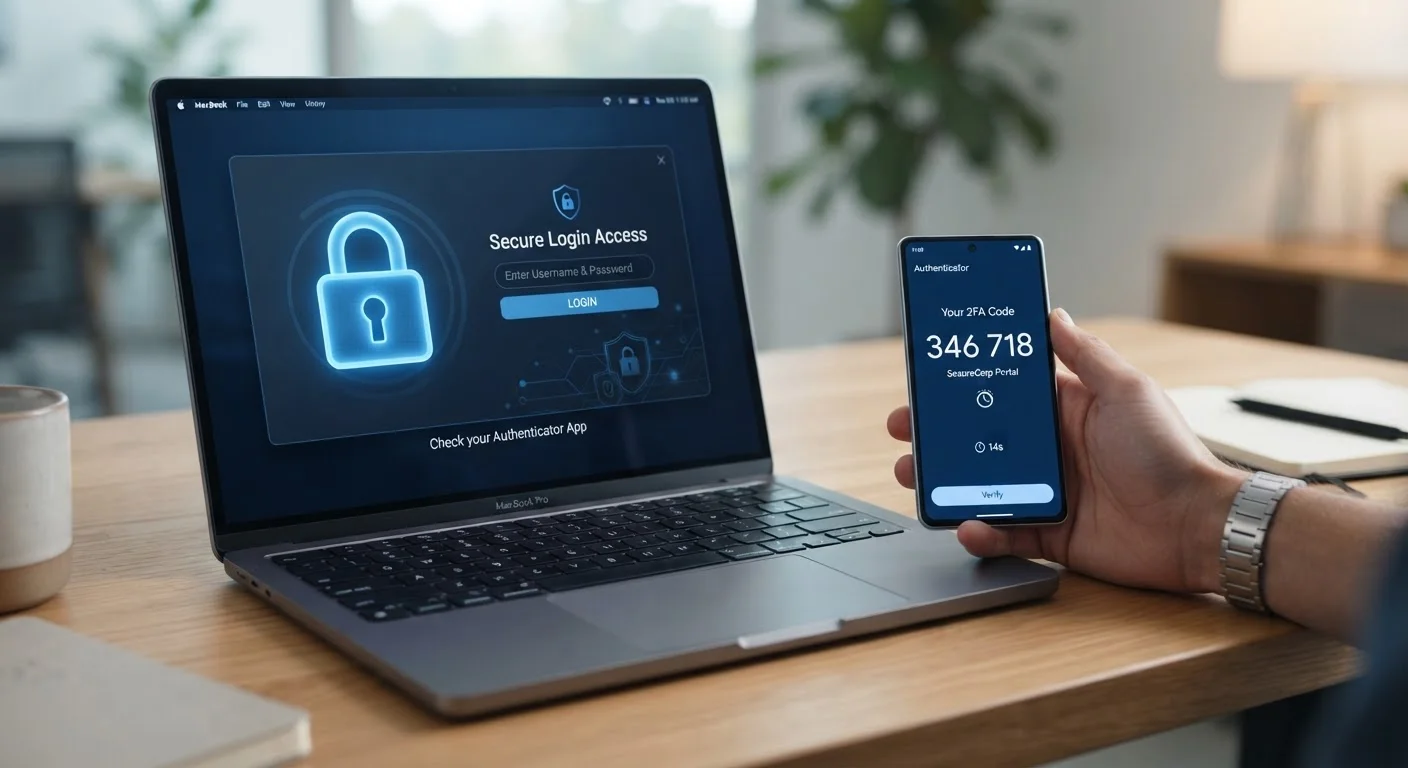
Two-factor authentication (2FA) adds a second verification step after your password - typically a time-sensitive code sent via text message, generated by an authenticator app, or delivered through email. Even if an attacker has your correct password, they cannot complete the login without that second factor.
This one change neutralizes the core mechanism of credential stuffing. Automated bots cannot intercept a real-time SMS code or generate a time-based one-time password from an authenticator app. Most major retailers support at least one form of 2FA, though it is rarely enabled by default.
SMS vs. Authenticator App 2FA
SMS-based two-factor authentication is significantly better than no 2FA, but it carries a specific vulnerability: SIM-swapping, where an attacker tricks a mobile carrier into transferring your phone number. Authenticator apps generate codes locally on your device and are not vulnerable to this method. If a retailer offers both options, the app-based method is generally preferable.
Authenticator app-based 2FA (such as codes generated by a dedicated app) is generally considered more secure than SMS-based codes, which can be vulnerable to SIM-swapping attacks. Either method, however, provides substantially stronger protection than a password alone.
For a full walkthrough of account protection strategies after you've secured your passwords and enabled 2FA, see protecting your shopping accounts from takeover.
“Passwords are a fundamentally broken authentication mechanism - not because they can't be strong, but because the system surrounding them is full of leaks. The second factor isn't a bonus; it's a patch on an architecture that was never designed for this scale of threat.”
— Bruce Schneier, Security technologist and author on cryptography and cybersecurity
Practical Steps to Reduce Your Exposure
Securing your shopping accounts doesn't require technical expertise. A small number of consistent habits significantly reduce your risk profile:
- Use a unique password for every retail account. A password manager makes this manageable without requiring you to memorize dozens of credentials.
- Enable 2FA wherever it's offered. Check account security settings on each platform - it's usually found under Privacy or Security in your profile.
- Monitor breach notifications. Free services allow you to check whether your email address has appeared in known data breaches. Sign up for alerts if the service offers them.
- Audit your saved accounts. Delete accounts you no longer use, especially those storing payment details. Fewer active accounts mean a smaller target surface.
- Be cautious on shared or public networks. Learn more about the specific risks in our guide to shopping on public Wi-Fi.
It's also worth understanding what security signals you can and cannot rely on when visiting retail sites. Our article on what HTTPS actually tells you about a site's safety clarifies a common misconception about the padlock icon.
For a comprehensive reference covering all dimensions of online shopping security, see Safe Online Shopping: An End-to-End Reference.